Explore your first topic
This walkthrough uses a local single-broker cluster at localhost:9092. Follow
Your first message to start it and create docs-demo-events.
Install Studio using Installation, then run:
KAFKA_BROKERS=localhost:9092 kafka-studioOpen the full URL printed in the terminal. Its hash contains a session token; do not share that URL or include it in screenshots. The screenshots below show the local demo, not a production cluster.
1. Check the cluster
The overview identifies the connected cluster and displays topic, partition, and broker counts.
Open Topics, then select docs-demo-events. Confirm the topic name before making changes.
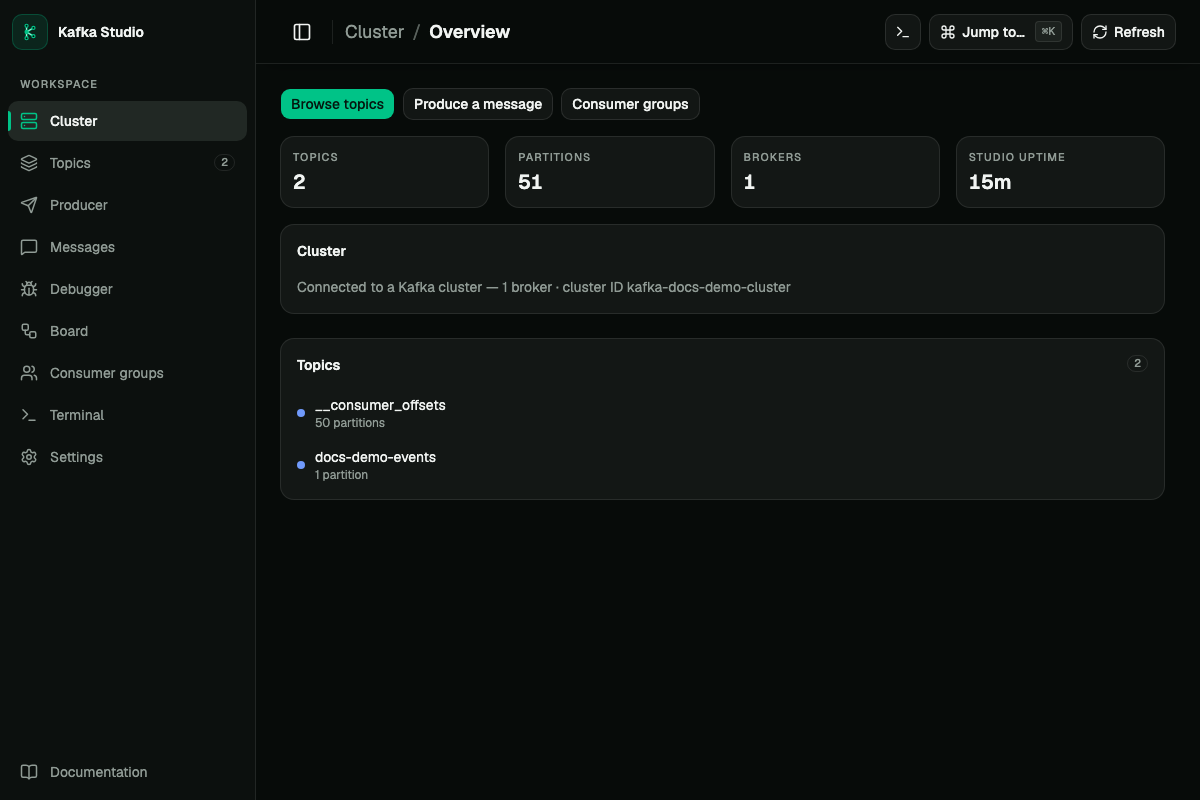
Overview: the navigation leads to Topics, Messages, Produce, and Consumer groups.
2. Produce a record
Open Produce, select docs-demo-events, and enter key user-1 and JSON value {"message":"hello"}.
Send a single record. Expected: a successful send with partition and offset information.
In read-only mode producing is unavailable and the server rejects write requests.
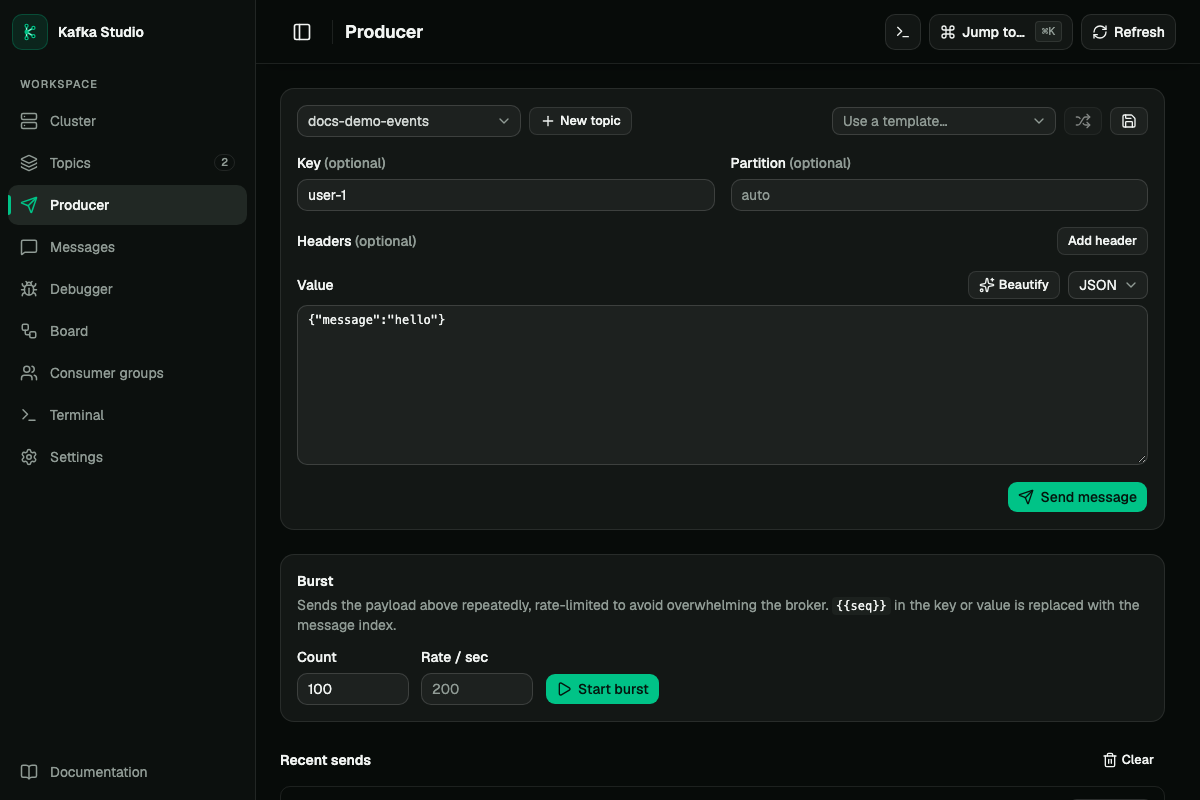
Produce: choose the demo topic and send a single record before trying burst mode.
3. Read it back
Open Messages, choose the same topic, and use History to read stored records.
Find hello, expand the record, and inspect its key, partition, offset, and headers.
Live watches new records; return to History to stop tailing.
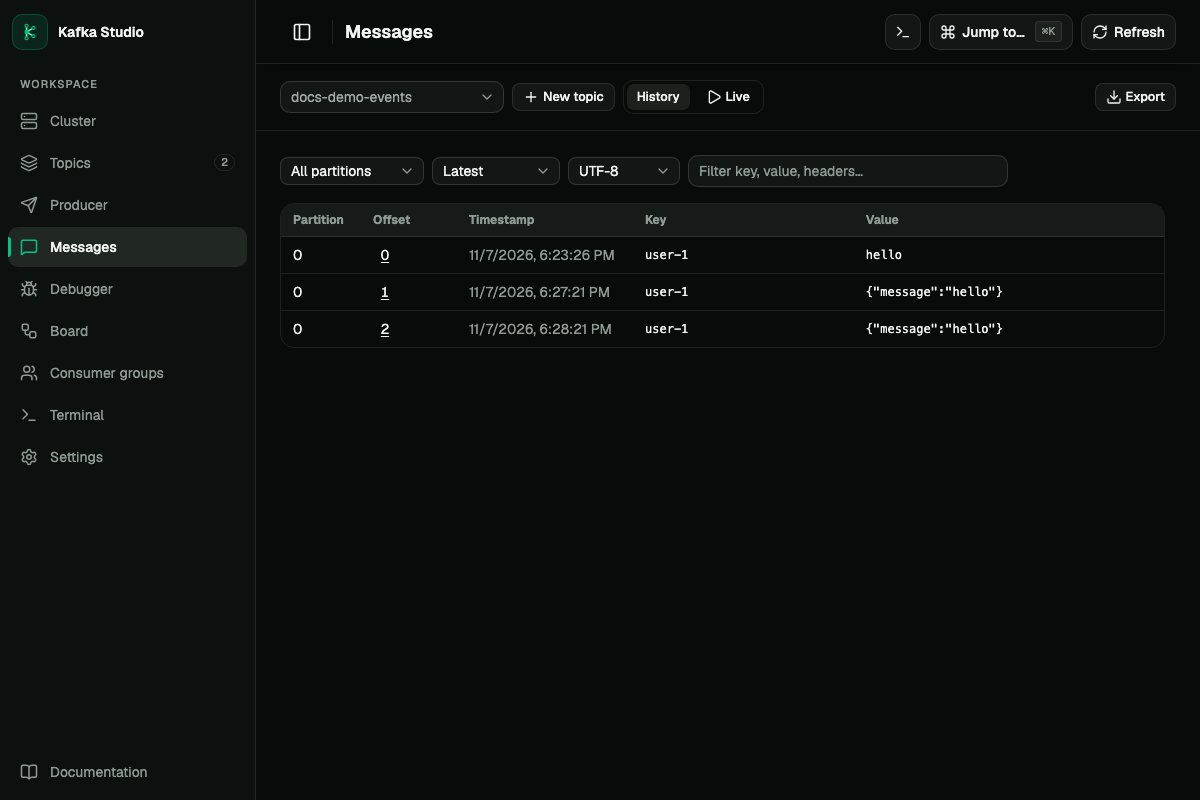
Messages: History reads stored records; Live follows newly produced records.
4. Inspect consumer progress
Run the Core quickstart consumer, then open Consumer groups and docs-demo-reader.
Inspect membership and per-partition lag. Stop the consumer before previewing an offset reset.
A reset backward causes redelivery; it does not restore deleted topic data.
For cross-topic correlation and replay, continue with Debugger. If your token is lost after a reload, reopen the original token-bearing URL from the launch terminal.
Finish
Stop Studio with Ctrl+C. Stop the demo consumer and remove the local demo cluster using the quickstart’s cleanup steps. For remote clusters, use profiles and review Studio security before exposing the server.